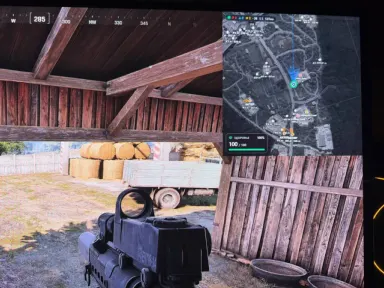
Shows your position and what’s happening around you.
Follows you when you move.
Zooms in and out manually.
Can zoom in on its own when an enemy appears nearby.
Can hide objects on other floors.
Works as a small window, a circle, or full‑screen.
The window can be moved and its size can be changed.
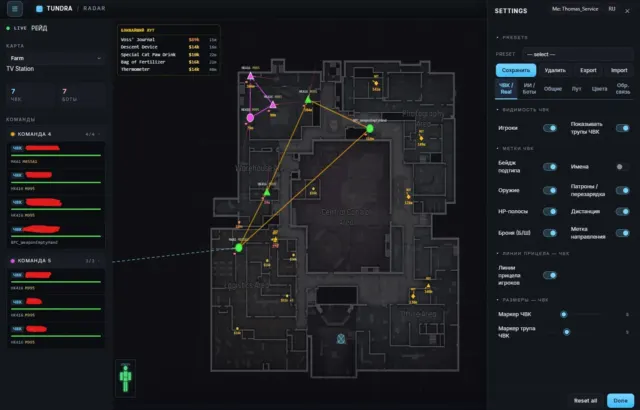
Displays opponents and allies in different colors.
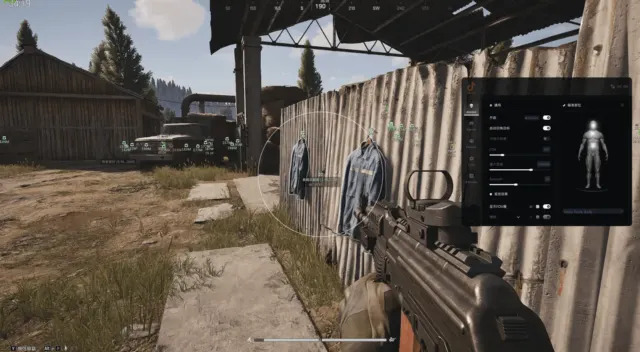
Displays names, team, and distance to players, if this data is available.
Displays the direction of opponents’ gaze.
Can display health, weapons, and armor.
Can display the value of equipment and the player’s most expensive items.
Groups opponents by team.
Allows you to choose whether to display eliminated players on the map.
Killed players are not included in the list of survivors and are not counted in the score.
Shows bots as a separate category..
Shows players without an available name as actors..
Allows you to enable and disable these categories separately..
Shows the distance to them..
Does not count killed actors and bots in the general list..
Shows items and containers on the map..
Shows the name, price, rarity, and distance if they are known..
Allows you to hide cheap items.
Creates a list of the nearest valuable loot..
Allows you to select the required types of containers: safes, weapon boxes, cash registers, first‑aid kits, and others..
Takes into account the price of items inside the container if the contents are known..
Indicates that the container has already been searched or emptied if this is known..
Allows you to separately enable containers and individual valuable items..
Notifies you if an enemy is looking in your direction..
Notifies you when an enemy gets too close.
Displays yellow and red hazard zones..
Can activate sound and visual signals..
Shows a line to the source of the hazard..
Appearance and usability.
Russian and English languages..
Customization of all object colors..
Customization of map brightness and window transparency..
Moving and resizing information windows..
Saving several pre-configured settings sets..
Transferring settings to another computer.
Viewing from another device
Creates a link to view the radar on a phone or another computer.
The link is valid for 1 hour.
Access can be disabled earlier.
The link does not provide access to your account or settings.
Checks for and installs updates automatically when launched.
Automatically restarts after an update.
Shows the current version of the program.
Clearly indicates when there is no internet connection or an update error.
Allows you to send diagnostics to the administrator with a single button press.


 ABI
 Escape from Tarkov
 Rob Run
 PUBG
 Rust
 Dayz
 War Dogs
 Escape from Tarkov: Arena
 VALORANT
 Genshin Impact
 Zenless Zone Zero
 Russian Fishing 4
 Warface