RustIn stock

RUST: MASON INTERNAL

UNDETECTED
  • , RUST INTERNAL CHEAT – PRODUCT DESCRIPTION
  • An internal cheat for Rust with a full set of features to dominate the server.
  • The main thing:
  • Powerful aimbot – instant or smooth guidance, work with any weapon, customize for yourself
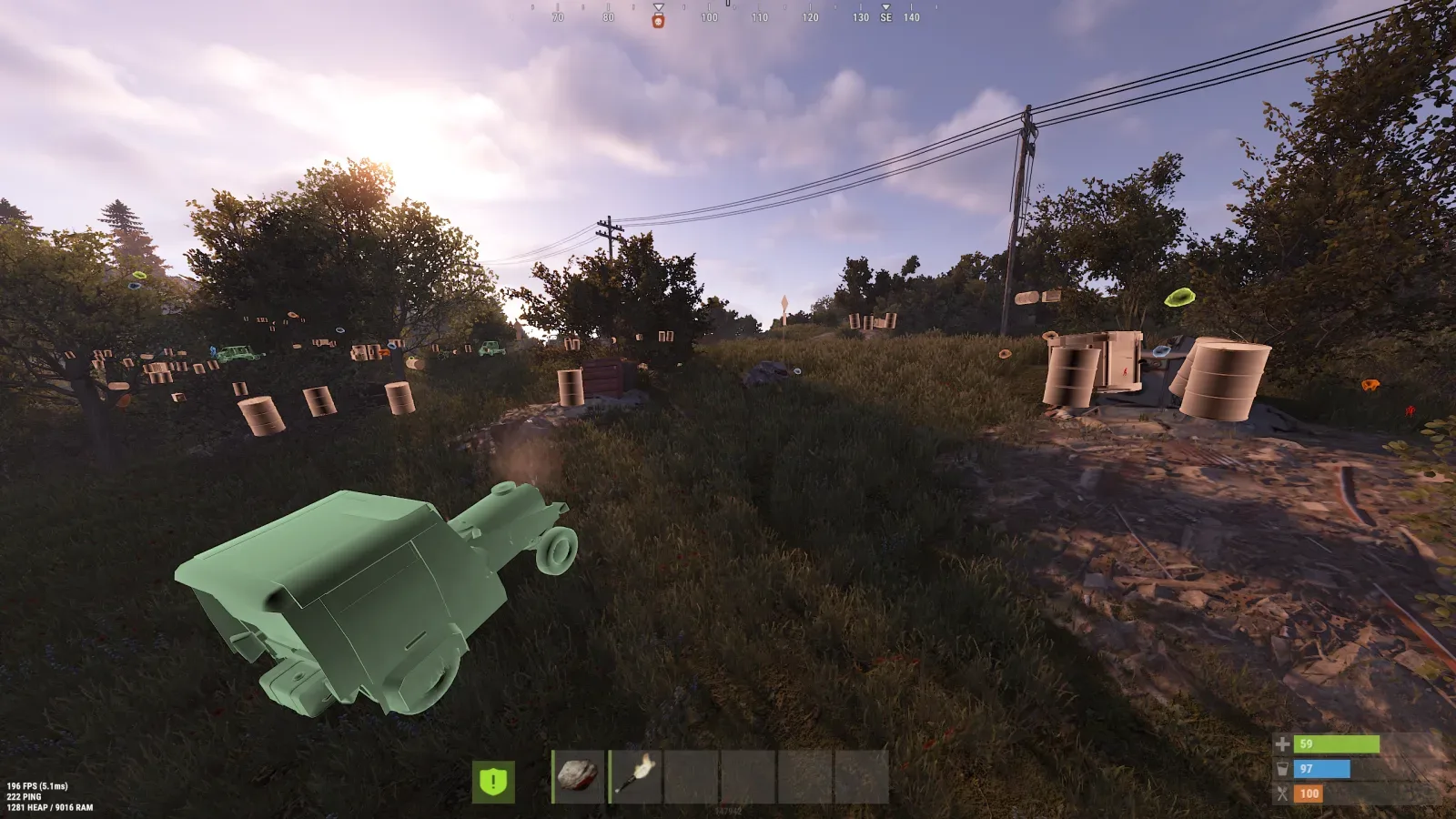
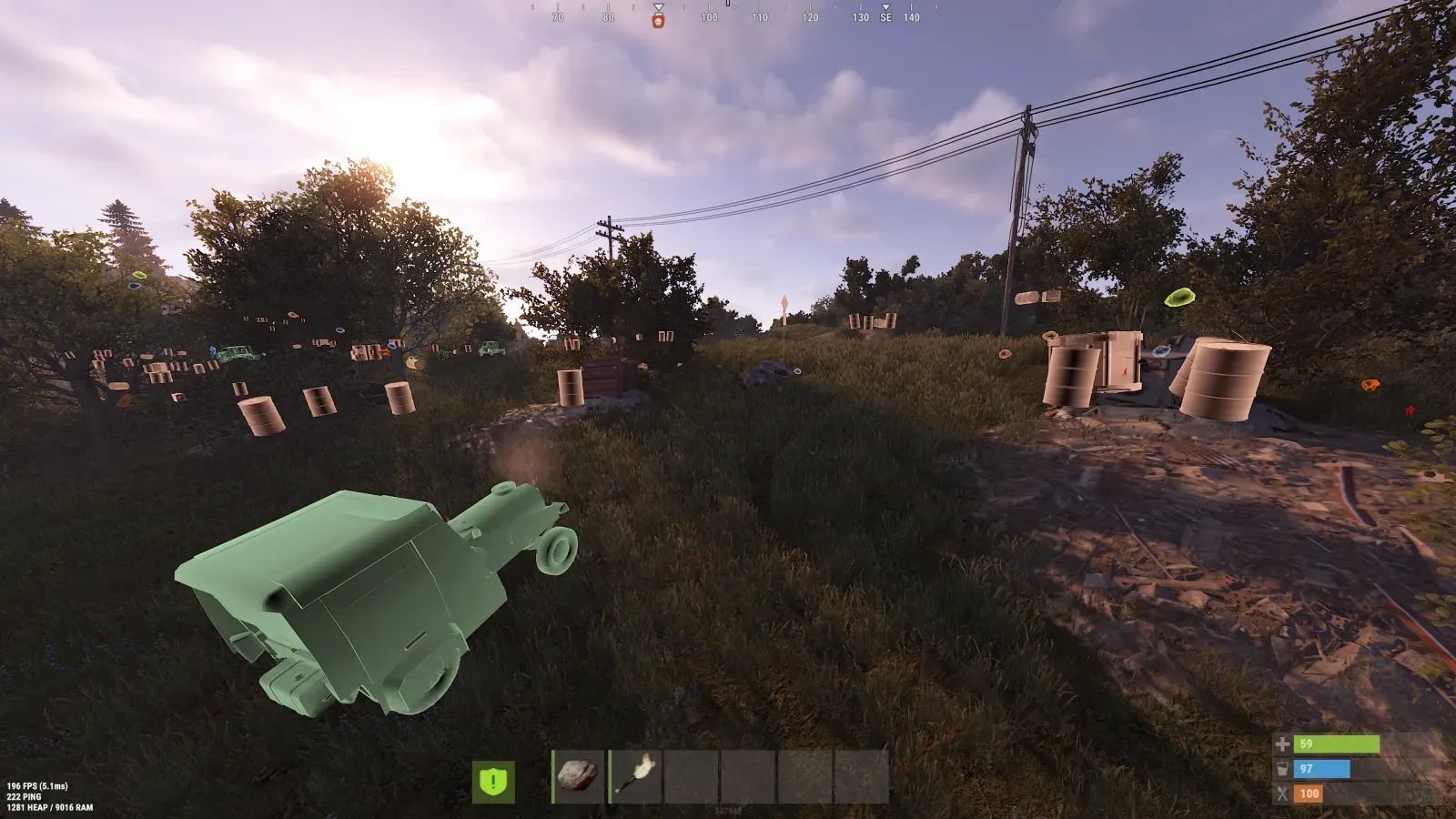
  • All visuals (ESP) – players, loot, transport, resources, objects – are all displayed on the screen with color and distance settings.
  • Automation – auto-loot, auto-farm, auto-heal, auto-fishing, auto-upgrade of buildings – saves a lot of time
  • Radar and map – you can see all the players and valuable objects even on the map
  • Protection and stealth – anti-violations, silent modes, desynchronization
  • Ready–made configs - for the style of the game (Rage / Legit / SemiRage) – turn on and play
  • For whom: for those who want to win, farm quickly and control the server effortlessly.
  • What's included: the cheat itself + installation instructions + support.
  • , Current version
  • Running on the latest Rust patch
  • , Flexible settings for any style of play

Features may vary by version. Make sure the software supports your Windows build and game mode before buying.

  • Aimbot: Snaps onto your target (custom hotkey) / The scope is instantly aimed at the target (custom key)
  • PSilent: Curves projectiles towards the target (custom hotkey) / Bends projectiles towards the target (custom key)
  • High Grenade Prediction: Forces prediction to find a valid point from a higher angle / Calculates the point of impact of a grenade at an angle
  • Target Saved Position: Targets your current saved position on the map / Aims at the saved position on the map
  • Use Smoothing: Humanizes the aimbot / Makes pointing smoother (natural)
  • Use Vischeck: Only targets visible players / Only targets visible players
  • AutoFire: Automatically shoots when the target is hittable / Automatically shoots when the target can be hit
  • Hit Chance: Makes some shots miss (only with PSilent, has slider for %) / Sets the chance of hitting (for realism, works with PSilent)
  • Keep Target: Keeps the target locked while holding the hotkey, even if out of FOV / Holds the target even if it is out of sight
  • Smooth: Customizable smoothing value / Customizable hover smoothness
  • Aimbone: Choose from a range of bones to aim at (Head, Neck, Spine, Lower Spine, Pelvis, Hitscan Priority) / Choosing a bone to aim at (head, neck, spine, pelvis, etc.)
  • Secondary Aim Features: / Secondary Aiming Features
  • Secondary Aimbone: Choose a secondary bone for aiming / Additional bone for aiming
  • Secondary Priority: Set priority for the secondary aim bone (Head, Neck, Spine, Lower Spine, Pelvis) / Priority for the second aiming bone
  • Custom Projectiles: Makes projectiles hit if near the target (larger on mounted players) / Projectiles hit if near the target (increased hit area)
  • Legit Bullet TP: Reduces projectile size to seem more legit / Reduces projectile size for more realism
  • Behind Wall Calculations: Automatically calculates where PSilent should target behind objects / Automatically calculates hits behind walls
  • Heli Magic: Expands the helicopter hitbox / Increases the helicopter's hitbox
  • Desync On Keypress: Activates desync while pressing aim key / Enables desync when the aim key is pressed
  • Bone Override: Overrides hitbone to a selected bone / Forcibly selects a bone to hit
  • Heli Rotor Override: Overrides hitbone to target the weakspots of the helicopter / Aims at the vulnerable spots of the helicopter
  • Pierce Hitbone: Chooses hitbone for projectiles (Head, Chest, Hand, Foot, Rand, Rand Hithead) / Choosing a bone to hit (head, chest, arm, leg, etc.)
  • Hit Material: Select projective material (Generic, Glass, Metal, Wood, Flesh, Dirt, Snow) / Select the type of hit material (metal, wood, glass, etc.)
  • Override Bone: Choose override bone (Head, Chest, Hand, Foot, Rand, Rand Hithead) / Select the redefined bone (for an accurate hit)
  • Crosshair: Customizable crosshair with color options / Customizable sight (color, shape)
  • FOV: Field of View with color settings / Field of view for an aimbot with color settings
  • Simulate Projectile: Draws where the projectile will land / Shows the trajectory of the projectile
  • Predicted Marker: Draws where you need to aim to hit the target / Displays the point where you need to aim to hit
  • Target Snapline: Draws a snapline to the target / Draws a line from the sight to the target
  • Crosshair Types: Choose from Cross, Thick Cross, or Dot / Sight Types: cross, Thick Cross, Dot
  • Fov Value: Adjustable FOV size for aimbot / Adjustable field of view size for aimbot
  • Recoil: / Recoil
  • Recoil X: Adjust recoil in X / X-axis recoil correction
  • Recoil Y: Adjust recoil in Y / Recoil correction on the Y-axis
  • No Sway: Removes weapon sway / Removes weapon wobble
  • Spread: Modifies projectile spread / Adjusts the projectile spread
  • Spread Amount: Adjust spread (0 for no spread, 100 for max spread) / Adjust the degree of spread (0 for no, 100 for maximum)
  • No Weapon Bob: Removes weapon bob / Removes weapon swing
  • No Bolt Cycle: Shoot without bolt cycle in bolt action rifles / Shooting without reloading for bolt-action rifles
  • Unlock Angles: Turn while mounted (via hotkey) / Allows you to rotate when using the turret (via the key)
  • No Melee Punch: Removes melee punch (similar to recoil) / Removes recoil at close range
  • No Melee Slowdown: Removes melee slowdown when running and hitting / Removes deceleration when hitting in motion
  • Fast Bow: Instant bow shot on left mouse button press / Fast bow shot when pressing LMB
  • Instant Charge: Instantly charges compound bow (without max damage) / Instant stretch compound bow (without increased damage)
  • No Movement Penalty: Walk/run while charging compound bow / Ability to move while pulling bow
  • VISUALS
  • Players: Toggle player ESP with customizable color customization / Displays players (ESP) with color setting
  • Scientist: Toggle NPC visibility with color customization / Displays NPCs (scientists) with color settings
  • Name: Display player names / Shows the names of the players
  • Distance: Show distance to players / Shows distance to players
  • TeamID: Display Team IDs / Displays Team IDs
  • Box: Display corner box around players / Shows a frame around the players
  • View Direction: Draws the direction in which the player is looking / Shows the direction of the player's gaze
  • Skeleton: Show player skeleton with adjustable thickness / Displays the player's skeleton with adjustable thickness
  • HeldItem: Show held item for players / Shows an item in their hands
  • Hotbar Options: Toggle hotbar, clothing, parenting, use icons, and friendly/NPC/sleeper options / Displays inventory, clothing, NPC statuses, and sleeping players.
  • Team/Enemy: Toggle ESP for teammates and enemies with color customization and hotkey / ESP for allies and enemies with color customization and key
  • Wounded/Dead: Toggle ESP for wounded or dead players / Shows wounded and dead players
  • Sleeping: Toggle ESP for sleeping players / Shows sleeping players
  • Online Sleeper: Only draw a sleeping player if he is connected to the server / Displays sleepers if they are online
  • Dead: Draw dead players that have not respawned / Shows dead, non-respawned players
  • Safetone: Toggle ESP for safezone players / ESP for players in the safe zone
  • Outside: Draw an indicator that a player is outside / An indicator that the player is outside
  • OOF: Draws indicators for players out of FOV / Indicators of players out of sight
  • Viscolor: Customize visibility color / Adjust visibility color
  • Player Chams: Enable player chams with various material options (Lightning, Fire, etc.) / Enables highlighting of player models with different effects (lightning, fire, etc.)
  • Disable Player Culling: Disables culling for players / Cancels hiding of players outside the frame
  • Cham Options: Customize chams for Friendly and NPC chams / Adjusts lighting effects for allies and NPCs
  • Cham Colors: Adjust cham colors when selecting specific materials / Adjusting the backlight colors for the selected material
  • Text Spacing: Adjust spacing for player text / Adjusts the distance between texts
  • Player Distance: Sets the distance at which players are drawn / Adjusts the distance of the players' drawing
  • NPC Distance: Sets the distance at which NPCs are drawn / Adjusts the drawing distance of NPCs
  • WORLD / World
  • Disable ESP Map: Disables all ESP when map is open / Disables ESP when opening the card
  • Battlemode: Disables every item ESP on keypress / Disables ESP at the touch of a key
  • Point Of Interest: Generates a marker on the map at your saved position / Creates a marker of interest on the map
  • Raids: Enables ESP for raids from any distance / Enables ESP for raids from any distance
  • Raid Time: Adjusts the time for raid visuals / Adjusts the raid display time
  • Save Position: Enables ESP for your last saved position / Enables ESP for the last saved position
  • Save House: Enables ESP for your saved house / Enables ESP for your saved house
  • Clear House: Clears your saved house position / Clears the saved house
  • Clear Position: Clears your saved position / Clears the saved position
  • VEHICLES / Transport:
  • Patrol Heli: / Patrol helicopter
  • Bradley: / Bradley APC
  • Drones: / Drones
  • Cargo Ship: / Cargo ship
  • Minicopter: / Minicopter
  • Scrap Heli: / Helicopter from scrap
  • Rowboat: / Boat
  • Submarine: / Submarine
  • Attack Helicopter: / Combat Helicopter
  • Tug Boat: / Tugboat
  • Pedal Bikes: / Bicycles
  • Motor Bikes: / Motorcycles
  • Vehicle Chams: Enables chams for vehicles / Vehicle lighting
  • Material: Choose material type for vehicle chams / Choosing the type of illumination material (lightning, fire, etc.)
  • Vehicle Distance: Adjusts draw distance for vehicles / Setting the distance of vehicle drawing
  • DEPLOYABLES / Installable objects:
  • Recycler: / Recycler
  • Cupboard: / Building cabinet
  • TC Options: Display options for the Cupboard (HealthBar, Upkeep, ShowID) / Cabinet display options (health, content, ID)
  • Stashes Unknown: / Shows hidden caches
  • Local Stashes: Saves the stash position / Saves the cache position
  • Sleeping Bag: / Sleeping Bag
  • RF Receiver: / RF Receiver
  • RF Broadcaster: / RF Transmitter
  • HBHF Sensor: / HBHF Motion Sensor
  • Seismic Sensor: / Seismic sensor
  • Large Battery: / Large Battery
  • Workbench Tier 3 / 2: / Level 2/3 Workbench
  • Use Cached Positions / For SamSite ESP, positions are saved in the config (similar to caches), can be displayed globally
  • Deployable Chams: Enables chams for deploy
  • ESP LOOT
  • Ore Chams: Enables chams for ores / Ore illumination
  • Material: Choose the material type for Ore chams (e.g., Lightning, LightGlow, Flame, etc.) / Selecting the type of ore illumination (lightning, glow, flame, etc.)
  • Node Path: Draws a line to the closest ore enabled in ESP / Shows the line to the nearest ore
  • Node Distance: Adjusts the draw distance for ores / Setting the ore display distance
  • Hemp: / Cannabis
  • Stone: / Stone
  • Metal: / Metal
  • Sulfur: / Sulfur
  • Wood: / Tree
  • Diesel: / Diesel
OS
Windows 10-11
20H2 or newer
CPU
Intel / AMD
Game mode
Windowed / Borderless

Checkout

Choose a plan

Cumulative discounts up to 5%

Create an account — your discount grows with every purchase automatically, no promo codes needed.

Total
$5.33
Verified software
Auto delivery
More for Rust

Other software

All software →
RUST: MASON FULL
UNDETECTED
RustRust

RUST: MASON FULL

A multifunctional internal cheat for Rust with an emphasis on accurate aiming and full visibility on the server. It is based on Silent Aim with anticipation, which allows you to hit a target even without pointing at it. Everything is customizable: activation keys, range, smoothness, and the choice of body part to hit. The visual component covers all the needs: You can see players, vehicles, crates, resources, workbenches, cabinets, turrets, and more. Names, distance, weapons, squaring, lines to the targets – all for complete control over the situation. There is a backlight (Chams) and the display of enemies behind your back. Additionally, night vision (Full Bright), the ability to see through walls, silent running, a free camera, changing the view (FOV), increasing the range of a close–range attack and other useful functions. Control – flexible keys, panic button for emergency shutdown, built-in radar, saving configurations. , Runs on the current version of Rust , Installation instructions are attached

from
$4.43
Rust Full
UNDETECTED
RustRust

Rust Full

RUST FULL для Rust — это полноценная внешняя сборка, включающая 141 переключатель, распределённый по шести разделам меню: аим, ESP игроков, мир, движение, разное и визуальные настройки с конфигами. Главная особенность — не количество опций, а глубина проработки каждого блока. В разделе аима настраиваются зона поражения, радиус захвата, дистанция и плавность. В ESP для игроков регулируются толщина скелета, прозрачность линий и масштаб радара. Вся конфигурация сохраняется в файл и загружается автоматически при следующем запуске. Встроенного спуфера нет — для работы потребуются USB-флешка и процессор с поддержкой AVX2. Сборка ориентирована на игроков, которые проходят вайп полностью, используя инструмент и для боёв, и для фарма, а не включают его только перед выездом.

from
$3.88