EFT: Lacoste

UNDETECTED
  • https://kinescope.io/embed/vnZY87CodmU1pz2xZ5oUUo
  • Additional functionality:
  • Built-in Spoofer with startup selection.
  • Cleaner for cleaning anti-cheat traces.
  • Bypass recording and streaming:
  • Support for hiding from capture in OBS and Discord.

Features may vary by version. Make sure the software supports your Windows build and game mode before buying.

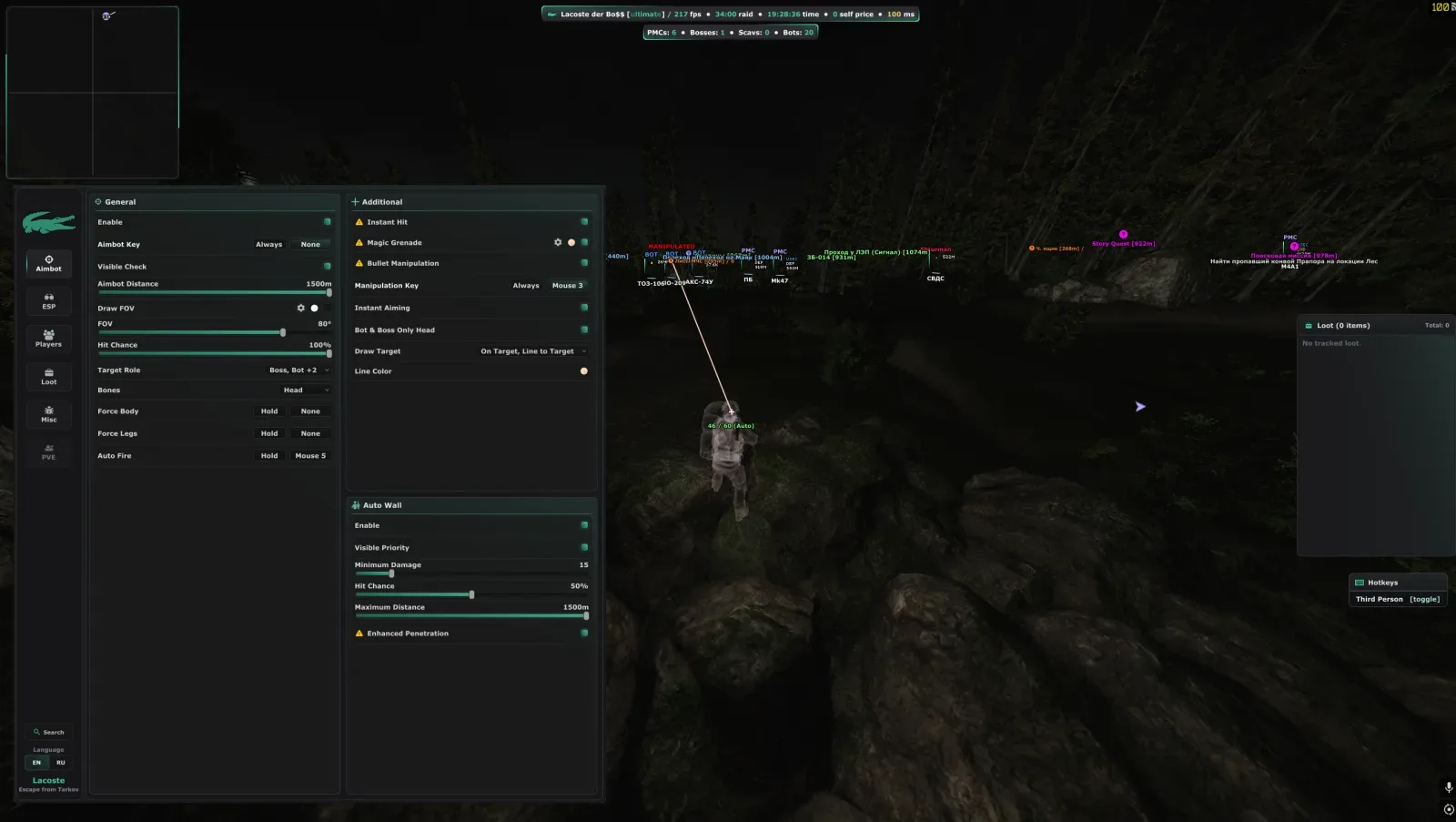
  • [AIMBOT]
  • Enable – activates the aimbot.
  • Aimbot button – activation key.
  • Visibility check – shooting only at visible targets.
  • Distance – the range of the aimbot.
  • Show radius – displays the coverage area.
  • Radius type – shape/display style.
  • Radius – the size of the zone.
  • Hit chance – the probability of a hit (for realism).
  • The role of the target is who to target (players, bots, etc.).
  • Bones – selecting a body part to target.
  • Only into the body - ignore the head.
  • Only at the legs - aim only at the legs.
  • Automatic shooting – auto-fire when aiming.
  • Instant hit - no shot delay.
  • Magic grenade – grenades fly at the target.
  • Show trajectory - grenade flight line.
  • Bullet control - the ability to adjust the bullet in flight.
  • Control button – a key to control the bullet.
  • Instant aiming - instantly aiming at the target.
  • Only to the head (bots and bosses) – headshot only on NPCs.
  • Drawing a target – highlighting the current target.
  • Shooting through walls - ignoring obstacles.
  • Visibility priority – visible targets first.
  • Minimum damage - do not shoot if the damage is below the threshold.
  • Chance of hit (double) – see above.
  • Maximum distance – range limit.
  • Improved penetration – increased penetration ability.
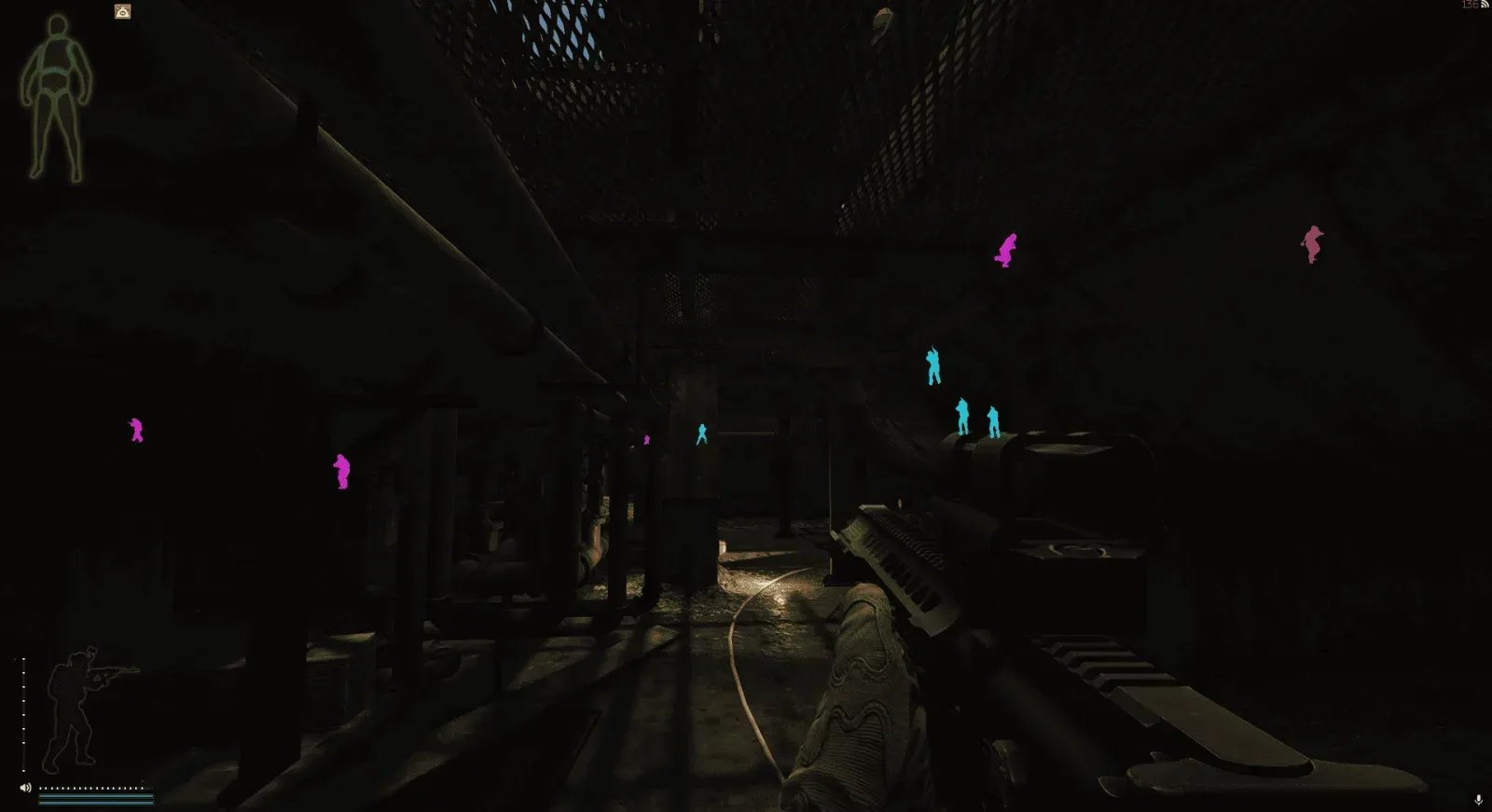
  • [ESP]
  • Boxing is a frame around the player.
  • Boxing type – frame style.
  • Name – display of nickname.
  • Color of PMCs/bots/Scavs/bosses – colors for different types.
  • Health bar - HP scale.
  • Stripe type – static, gradient, animated.
  • Color / Second color – main and additional. colors.
  • Ammunition bar – ammo scale.
  • Flags – extra. icons (side, prestige, edition, inventory, cost, hours, K/D).
  • Inventory – displays the player's items.
  • Only when hovering (on sight) – display inventory only when hovering.
  • Parse all items - complete inventory analysis.
  • Weapon – displays the target's weapon.
  • Skeleton – the bones of the player.
  • Gaze direction – where the target is looking.
  • Distance – distance to the target.
  • Arrows behind the screen are pointers out of sight.
  • Color by role – the color of the arrow depending on its type.
  • Ignore bots – do not show arrows at bots.
  • Arrow distance – display range of arrows.
  • Potential cheater flag – flags suspicious players.
  • Chams – filling the model (color textures).
  • Type of chams – flat, fresnel, glow, frame, matcap, gradient, edges.
  • Visible/Invisible Color – colors for visible and hidden parts.
  • Visibility check - taking into account obstacles.
  • Max. distance – total ESP range.
  • Max. bot distance – ESP range for bots.
  • Chams for a local player - filling your character.
  • The sight is a custom sight.
  • Hitmarker – mark of a hit.
  • Block/ricochet color – marker colors.
  • Damage marker – shows the damage done.
  • Bullet tracers are bullet flight lines.
  • Number of cartridges – display of ammunition.
  • Show cartridge type – additional information.
  • Hit sound – sound signal when hit.
  • Headshot/hit volume – adjustable.
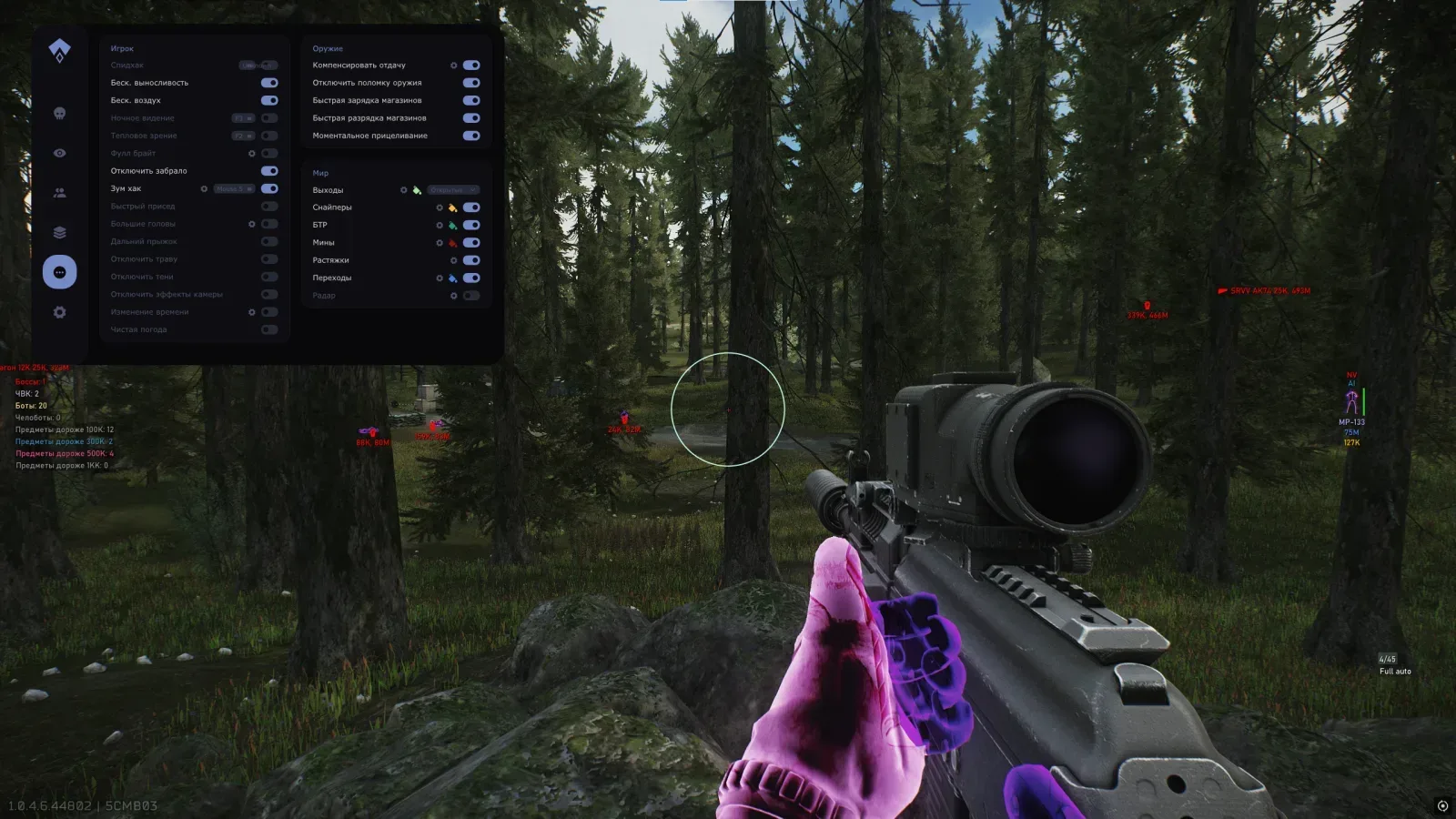
  • Combat mode – display of tactical objects.
  • Combat mode key – on/off.
  • Elements - loot, exits, transitions, armored personnel carriers, quests, zones.
  • BTR – display of armored personnel carrier.
  • Distance – display range.
  • Mines – display mines.
  • Sniper zones – display of dangerous zones.
  • Exits are evacuation markers.
  • Exits icon / Closed exits / Distance – settings.
  • Transitions – markers of transitions between locations.
  • Quest assistant - tips on tasks.
  • Conditions, icons, radius circle, zone color - details.
  • Quest items – highlighting items needed for quests.
  • Corpses – displays the bodies of players.
  • Distance to corpses / PMCs, color, icon, loot – settings.
  • Grenades are markers for grenades.
  • Terminals with a code – terminal illumination.
  • Stretch marks - showing stretch marks.
  • User settings Time – change the time of day.
  • Custom colors – change the colors of the sky, sun, moon, rays, environment, earth, halo.
  • The sun and the atmosphere - sun parameters, scattering, brightness, contrast, fog.
  • Lighting – intensity and shadows (day/night).
  • Weather control - rain, fog, clouds, wind.
  • [PLAYERS]
  • Source – tagged players – working with the list of players.
  • Adding to the white/black list - manually or by ID.
  • List color – customize colors.
  • Add a target to the list – the current goal.
  • Player ID / Import / Copy your ID – ID management.
  • Export / Import list - saving / loading.
  • Source – local database – collection of data about players.
  • Collect players / Autosave / Notifications – database settings.
  • Update all / Export / Import / Clear database – database management.
  • [LOT]
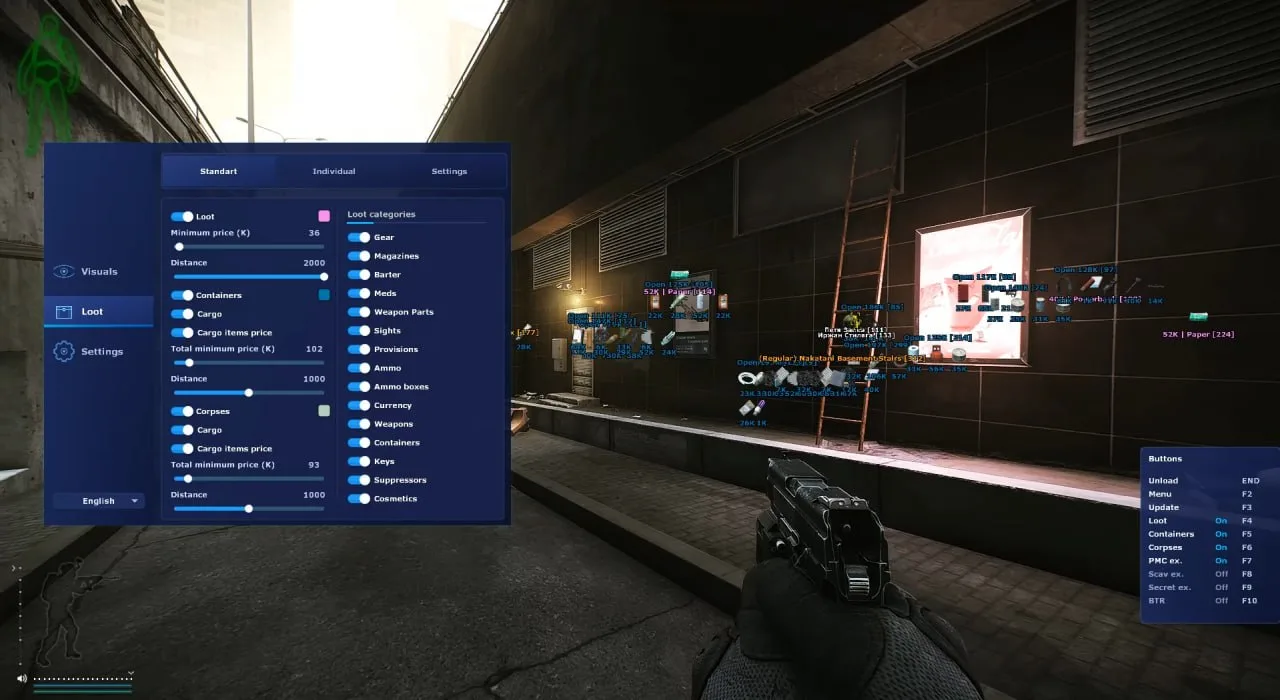
  • General – general loot display settings.
  • Shelter – display of loot in the shelter.
  • Containers – illumination of containers.
  • Short name – abbreviated names.
  • Unified settings – general parameters for all loot.
  • Export/Import loot filter – saving/loading filters.
  • Custom item settings – individual settings for items.
  • [MISCELLANEOUS]
  • Turn off grass/shadows – remove to improve visibility.
  • Medical panel – display of health status.
  • Farther in
OS
Windows 10/11
21H2–23H2 builds
CPU
Intel / AMD
Modern multi-core CPUs
Game mode
Windowed / Borderless
Fullscreen mode is not supported

Checkout

Choose a plan

Cumulative discounts up to 5%

Create an account — your discount grows with every purchase automatically, no promo codes needed.

Total
$7.78
Verified software
Auto delivery
More for Escape from Tarkov

Other software

All software →
EFT: Lovec Radar
UNDETECTED
Escape from TarkovEscape from Tarkov

EFT: Lovec Radar

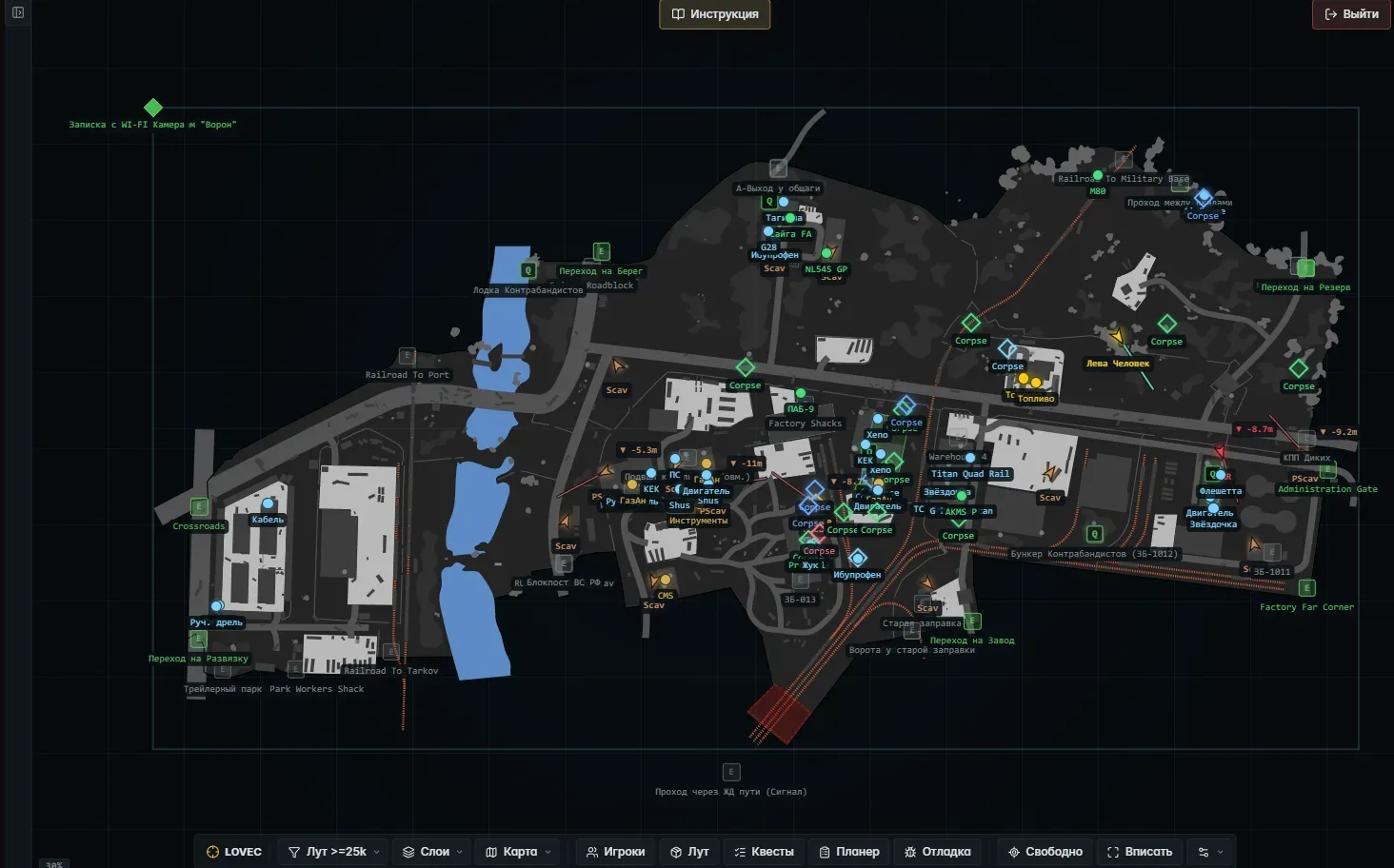
В Tarkov всё решают доли секунды: кто быстрее добежит до лута, кто раньше заметит врага за стеной, кто успеет к выходу живым. Lovec Radar — это ваша интерактивная карта рейда, которая работает в обычном браузере на телефоне или втором экране. Вы видите всю картину сверху: игроков, ценные предметы, квестовые точки, эвакуацию и даже высоту. И вы играете на опережение — забираете лут первыми, обходите опасные отряды и выносите свой набор до конца рейда целым и невредимым.

from
$4.44